
Website development once required weeks and a specialized team of UI designers, web developers and content writers. Now it just needs a prompt, thanks to a technology called the AI website builder.
There are tens of tools that claim to be AI website builders, and each brings different value. This guide covers the ten that stand out on features, capabilities and pricing. All prices are in US dollars and were checked in October 2026.
Key takeaways
- An AI website builder takes a written prompt and produces the site's layout, copy and code, which you then edit and publish.
- Site builders (Wix, Squarespace, Framer, Hostinger, Webflow, Durable, 10Web) focus on marketing and business sites. Prompt-to-code tools (Lovable, Bolt, v0) generate software and suit apps and portals.
- Seven of the ten offer a free plan. Paid plans start at $2.99 a month (Hostinger, on a 48-month prepayment) and reach $159 a month for Wix Business Elite. Code-first tools bill by credits or tokens, so cost grows with how much you build.
- Intro rates rise. Hostinger's $2.99 plan renews at $10.99, and 10Web's $10 annual price is half its regular rate.
- Hostinger is the lowest-priced paid option. Framer Basic and 10Web both start at $10 a month on annual billing.
- A builder fits speed and small budgets. An agency fits custom design, strategy and complex integrations.
What Is An AI Website Builder?
As the name suggests, an AI website builder is a tool that takes your input in the prompt bar and, based on that, builds the website's UI and generates the code.
Most tools fall into one of two groups. Hosted site builders keep the site, hosting and editor inside one platform. Prompt-to-code tools write application code that you can host on your own infrastructure.
It is not a template library with a copywriting assistant attached, and it is not a chatbot that only describes what a site could look like.
What Are The Top 10 AI Website Builder Tools Available In 2026?
Wix
Wix Harmony turns a plain-language brief into a full site, then hands the same page to a drag-and-drop editor so you can adjust any element by hand. Its distinction is that AI chat and manual editing share one canvas, on a platform that already handles bookings, stores and payments.
Basic capabilities
- Generates entire sites, single pages or individual sections from a prompt
- Includes AI image editing, copy generation and the AI website builder on every plan, at no extra cost
- Hosting, a custom domain on paid plans and a free plan that lets you publish
Differentiating features
- Aria, the AI agent behind Harmony, is built on Wix's own code structure, so a small change should not break the page
- Ecommerce, scheduling and payment processing are built into the editor
- Astro, an AI assistant, handles customer support around the clock
- AI text tools for taglines, blog posts and product descriptions
Potential caveats
- Moving a Wix site to another platform is not straightforward
- Online payments are missing from the cheapest Light plan, and storage there is 2GB
- The free plan shows a Wix ad banner at the top of your site
Best for
Service businesses such as salons, clinics, coaches and studios that take bookings and payments through the site, and small online stores run by non-technical owners.
Pricing
- Free plan with Wix ads
- Light $17, Core $29, Business $39 and Business Elite $159 per month, billed annually
14-day free trial and a 14-day money-back guarantee on premium plans
Squarespace
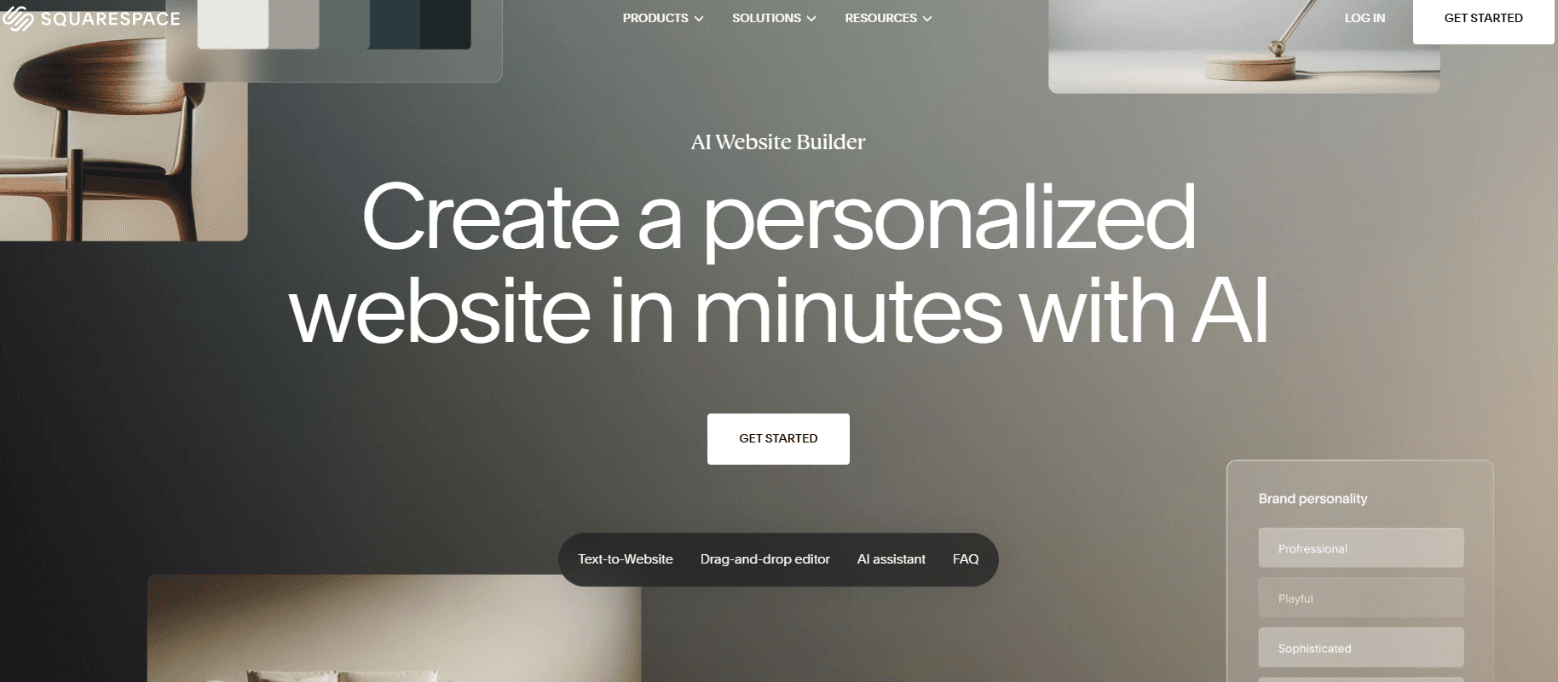
Squarespace asks a short series of questions about your business, personality and preferred sections, then assembles a styled multi-page site with Blueprint AI. Its draw is template quality, which suits image-led businesses.
Basic capabilities
- Managed hosting, unlimited bandwidth and SSL on every plan, plus one free custom domain for the first year on annual plans
- Blog, forms, newsletter sign-ups and site analytics
- Unlimited product listings on all current paid plans
Differentiating features
- Fluid Engine, a visible-grid editor where you drag and resize blocks anywhere within a section
- Blueprint can also start from AI-generated templates or through Squarespace's ChatGPT connection
- Courses, memberships, invoices and proposals sit in the same account as the site
- An SEO report that flags missing page descriptions and image text
Potential caveats
- AI use is tied to credits: Basic gets 10 one-time credits, while Core, Plus and Advanced get 20, 40 and 120 per month with no rollover
- There is no phone support, and much of the site's design and functionality will not transfer if you leave
- Basic charges a 2% store transaction fee and a 7% fee on digital content
Best for
Photographers, consultants, restaurants, creative studios and personal brands whose credibility depends on how the site looks, plus small stores that sell a modest catalog.
Pricing
- Basic $19, Core $29, Plus $49 and Advanced $99 per month on annual billing; $25, $39, $65 and $139 month to month
- No permanent free plan, but a 14-day trial without a credit card
- Prices rose in July 2026, so older reviews may list lower figures
Framer
Marketing sites with polished motion and layout are what Framer's AI targets. Describe a page and Wireframer drafts the layout, which you then refine on a design-style canvas, so the result looks hand-built rather than templated.
Basic capabilities
- Wireframer for page layouts from text prompts
- A built-in CMS, hosting and custom domains on paid plans
- A free plan on a framer.website subdomain, with a Made in Framer banner
Differentiating features
- Workshop generates animated UI components from plain English
- AI Translate covers more than 100 languages as a native feature
- AI plugins connect Framer to models from OpenAI, Anthropic and Gemini
- An MCP plugin lets Claude or GPT edit CMS content and fill SEO fields
Potential caveats
- Basic is limited to one CMS collection and 30 pages, which pushes most business sites to Pro
- Pricing is per site, editors are billed separately, and AI credits expire every month
- Framer's AI builds Framer sites only
Best for
Startups, SaaS marketing teams, portfolios and agencies where a designer owns the site and wants distinctive layouts and animation without hand-coding.
Pricing
- Free plan
- Basic $10 and Pro $30 per month billed annually; $15 and $45 month to month
- Basic includes 1,000 AI credits a month and Pro 3,000; generating a landing page costs around 300
- Enterprise on custom pricing
Hostinger
Hostinger bundles an AI site generator with hosting, a domain and email, so a first-time owner pays one bill for everything needed to get online. Among paid plans on this list, none starts lower.
Basic capabilities
- More than 400 templates on every plan and ecommerce on the Unlimited and Cloud Startup plans
- A free domain for the first year
- A 30-day money-back guarantee
Differentiating features
- Horizons, Hostinger's vibe-coding tool, is now part of the core builder plans
- AI agent credits for design, SEO and marketing tasks on the Unlimited (50) and Cloud Startup (100) plans
- An AI logo maker and AI heatmaps that show how visitors move through a page
- Hostinger Agent, included on every plan, can migrate, fix and edit a site
Potential caveats
- The $2.99 rate requires paying $143.52 up front for four years, then renews at $10.99 a month
- Premium includes only 5 AI credits for web building, and extra credits cost money
- Website Builder Expert found its AI tools weaker than those of Wix and Squarespace
Best for
First-time owners, freelancers and local businesses with a small budget and a simple site of a few pages. The Unlimited plan also suits agencies running several small client sites.
Pricing
- Premium, Unlimited and Cloud Startup cost $2.99, $3.99 and $7.99 a month on a 4-year term; $3.99, $4.99 and $9.99 on a 1-year term; $11.99, $18.99 and $27.99 month to month
- No permanent free plan
Webflow
For teams that want AI to draft a page but still need exact control over structure, content models and code, Webflow offers a visual builder with a full CMS. Its edge is depth: AI speeds up the first draft, while the editor allows precision that simpler builders do not.
Basic capabilities
- AI generation and an MCP server included in the site plans, even the free Starter
- Visual canvas, hosting and a CMS with collections
- Starter gives a .webflow.io subdomain, two static pages and 50 CMS items
Differentiating features
- Premium raises the CMS to 20,000 items and 40 collections, with site search and form file uploads
- Workspace plans for agencies add 10 staging sites, custom code and code export
- Localization, plus A/B testing and personalization through paid add-ons
- A real-CSS editor, so a designer can build reusable class systems
Potential caveats
- The May 2026 restructure merged the CMS and Business plans into Premium, which raised costs for modest CMS sites
- AI credits bundled into Workspace plans carry hard caps
- Total cost depends on site plan, workspace seats and add-ons, and the editor has a learning curve
Best for
Marketing teams and agencies running content-heavy sites with a blog, multiple languages and many CMS items, where a designer or developer is available.
Pricing
- Starter is free
- Basic 15amonthbilledannually(25 monthly)
- Premium 25amonthbilledannually(39 monthly)
- Team around $2,500 a month; Enterprise is custom
Durable
Give Durable a business type and a city, and about 30 seconds later you have a site, a customer list, a booking page and invoicing. Its value is that the website arrives with the back-office tools a one-person business would otherwise buy separately.
Basic capabilities
- Unlimited AI-generated pages and traffic, SSL, hosting and a CRM on every plan
- Website edits through AI, blog posts and social posts
- A custom domain, either connected or registered free, on paid plans
Differentiating features
- AI agents that reply to leads and Google reviews, request reviews by email and answer business questions
- GEO and AEO tooling, an llms.txt file and AI search ranking, aimed at appearing in answers from ChatGPT and Google
- Paid bookings synced to your calendar, and listings in 10 or more business directories
- Grow translates the whole site and its SEO metadata and adds a language switcher
Potential caveats
- Durable is not designed for ecommerce and offers little HTML customization
- The free plan is a preview with 300 AI credits in total, and Launch caps AI use at 1,000 credits a month
- Reviewers note that Durable sites can look generated, with limited room to grow
Best for
Solo service providers such as tradespeople, cleaners, consultants and photographers who need leads, bookings and invoices more than a distinctive design.
Pricing
- Free $0; Launch 22amonthbilledannually(25 monthly); Grow 41annually(49 monthly)
10Web
10Web generates standard WordPress sites, either from a description or by rebuilding a site you already own. Because the output is WordPress, you keep access to the plugin catalog and can export the site.
Basic capabilities
- AI site generation on Google Cloud hosting with an Elementor-based editor
- Free SSL, site migration, 90+ PageSpeed optimization and 24/7 support on all plans
- WooCommerce integration for online stores
Differentiating features
- Recreates an existing website with AI, which helps when you are rebuilding an outdated site
- Unlimited AI image generation on paid plans
- Extra sites cost $10 each on Starter, falling to $6 on Ultimate
- Agency plans and an API for white-label resale
Potential caveats
- Monthly billing roughly doubles the advertised rate, and Starter includes 100 AI credits a month
- Starter covers one website and 10,000 monthly visitors
- The portability benefit weakens if you depend on 10Web's managed hosting for speed and CDN
Best for
Small businesses and agencies that want WordPress, WooCommerce or a plugin-based workflow, and owners replacing an existing WordPress site.
Pricing
- AI Starter $10, AI Premium $15 and AI Ultimate $23 a month on a 12-month term, billed at half the regular annual price
- Month to month: $20, $30 and $45
Lovable
Lovable is for people who want working software, not just pages. Describe an app in chat and it writes the interface, logic and database for you. The differentiator is the built-in backend, which lets a non-developer add stored data and user accounts without a separate service.
Basic capabilities
- Chat-based building and iteration
- Backend hosting through Lovable Cloud, which is Supabase-backed
- Publishing on a Lovable subdomain, with custom domains on Pro and Business
Differentiating features
- Separate allowances for build, Cloud and AI credits, with a monthly grant of 20 Cloud and 4 AI credits
- Business adds SSO, a data-training opt-out, team workspaces and reusable design templates
- Top-up credits at $15 per 50 on Pro
Potential caveats
- Every message consumes credits, so heavy iteration raises the bill
- Business costs twice Pro for the same 100 credits: $50 buys 100 credits on Business but 200 on Pro
- Lovable has changed its pricing structure twice in 2026
Best for
Founders validating a SaaS idea, and teams building customer portals or internal tools. It is more than a brochure site needs.
Pricing
- Free: 5 daily build credits, capped at 30 a month
- Pro 25amonth(21 billed annually), scaling from 100 credits to 10,000 credits at $2,250 a month
- Business 50amonth(42 billed annually); Enterprise is custom
Bolt.new
Developers and technical founders use Bolt to generate, run and edit full-stack projects directly in the browser from a prompt. It stands out for its raw token metering and for imports from Figma and GitHub.
Basic capabilities
- Hosting and unlimited databases on the free plan, with Bolt branding
- Figma and GitHub import from the start screen
- Custom domain, no branding and AI image editing on Pro
Differentiating features
- Three modes that let you control how many tokens each request uses
- The /clear command resets conversation context, which reduces tokens per request
- Teams adds centralized billing, admin controls and private NPM registries
- A feature that applies a company design system to generated projects
Potential caveats
- Usage-based tokens make monthly cost hard to predict
- Team tokens are not pooled, so five members mean five separate allowances
- The free plan allows 300K tokens a day and 1M a month
Best for
Developers prototyping quickly, agencies producing client prototypes, and teams that start from Figma designs.
Pricing
- Free with 1M tokens a month; Pro $25 a month for 10M tokens; Teams $30 per member per month
- Higher Pro tiers: $50 for 26M tokens and $100 for 55M
- Enterprise is custom
v0 by Vercel
Vercel's v0 generates interface code that fits into a real Next.js codebase, not a throwaway demo. What separates it is the link to Vercel: it can import an existing GitHub repo and pull environment variables and configuration from Vercel.
Basic capabilities
- A free plan with a daily message allowance, deployment to Vercel, GitHub sync and Design Mode
- Prompt-to-UI generation for pages and components
- Code produced in a sandbox that maps to real deployments
Differentiating features
- Imports of existing repos, so generated code matches your project's setup
- Purchased credits last one year and can be shared across a team on Team and Enterprise plans
- Visual editing in Design Mode alongside prompting
Potential caveats
- Hosting is billed separately: a Vercel Pro seat at $20 plus a $20 v0 plan totals $40 a month
- Free deployments are watermarked and projects are public; the $20 Premium plan is closed to new users
- Token-metered credits make costs variable, and the tool assumes comfort with code
Best for
Front-end developers and product teams on Next.js who need landing pages, dashboards and UI prototypes that feed an existing codebase.
Pricing
- Free
- Team (renamed Plus) at $30 per user a month, Business at $100 per user, Enterprise custom
- Five people on Plus cost $1,800 a year before extra credits
Cheapest AI website builder
Hostinger is the cheapest ai web builder. Its Premium plan costs $2.99 a month on a four-year term, paid up front at $143.52, and renews at $10.99.
On a one-year term the same plan costs $3.99 a month. If you only want to test an idea, Wix, Framer, Webflow, Durable, Lovable, Bolt and v0 all have free plans, with limits such as a subdomain, branding or capped credits.
AI Website Builder vs Web Design Agency: Cost, Speed, and Control Compared
A builder gets a competent site live in hours or days at a fraction of the cost, and you own the strategy and content decisions. An agency costs more and takes longer, and in return handles positioning, custom design and complex integrations.
Cost ranges for agencies vary by market and scope, so treat the figures as a starting point and compare against actual quotes.
Final Words
The right tool depends on what the site has to do. For a business site with bookings or a small store, Wix, Squarespace, Hostinger and Durable cover the ground at different price points. For design-led marketing sites, Framer and Webflow give the most control. For apps, portals and internal tools, Lovable, Bolt and v0 generate real code, and 10Web fits teams that want WordPress underneath.
These tools cover the essential needs of most small businesses. However, if you need a website built around SEO, effective conversion paths, and long-term scalability, a website development agency is a better choice.
The Hyperminds helps businesses build websites that go beyond appearance, with SEO-friendly structure, clear conversion paths, and room to grow as business needs evolve. From initial design to development, we focus on creating websites that support your business goals and make it easier for customers to take action.
FAQs
What is the best AI website builder?
No single tool wins on every job. Wix and Squarespace suit most small business sites, Framer and Webflow suit design-led teams, and Lovable, Bolt and v0 suit app building.
Are AI website builders free?
Many have free plans, including Wix, Framer, Webflow, Durable, Lovable, Bolt and v0. Free plans typically use a platform subdomain, show branding or ads, or cap credits. A custom domain usually requires a paid plan.
Can an AI website builder replace a web designer or agency?
For a standard business site, often yes. For custom brand design, complex integrations or a full content strategy, an agency or experienced designer still adds value that a prompt does not.
Do I own a website built with an AI builder?
You own your content, but export rights differ. Squarespace, for example, exports some pages, text, images and blog content, while much of the design and functionality will not transfer. WordPress-based and code-first tools are generally easier to move. Check the export terms before you commit.
Are AI-built websites good for SEO?
They cover technical basics such as sitemaps, mobile layouts and metadata fields. Squarespace's own support team says it cannot provide an SEO strategy or promise ranking changes. Keyword choice, content quality and links still decide rankings.
How long does it take to build a site with AI?
A first draft takes seconds to minutes. Reaching a publishable site usually takes a few hours to a few days, mostly spent replacing generic copy and checking facts, images and layouts.